
Personas — one face across a campaign
A named face built from reference photos, so the same person comes back in every creative.
What a persona does
Without a persona, every render invents a person from scratch. For one graphic that is fine; for a campaign it is not. Five creatives with five different faces do not read as one brand, they read as five different shops.
A persona is a name and a handful of photos that define the same person. You select it in a brief and it comes back in every creative you ask for it in — in a photo, on a banner and in video.
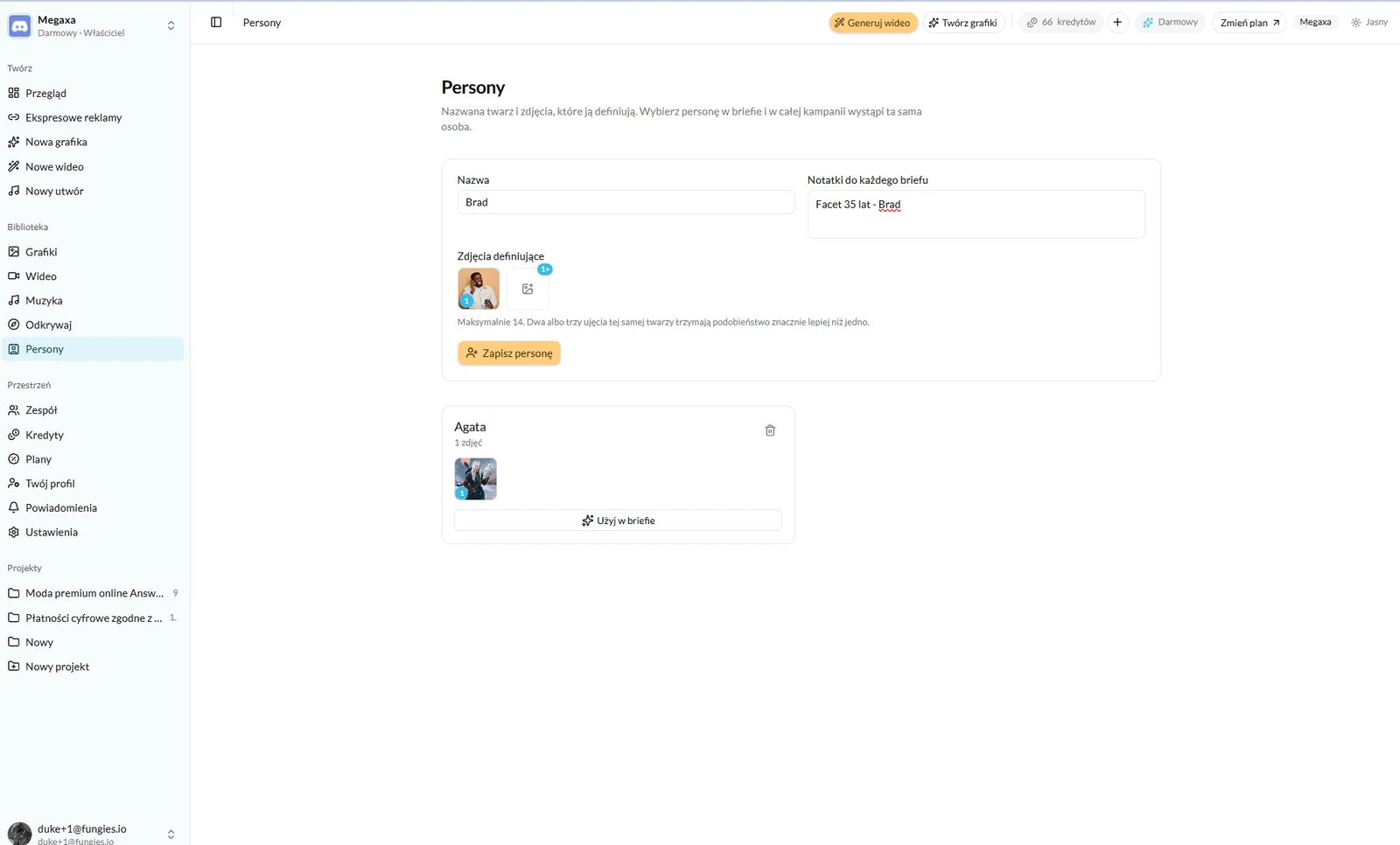
Adding a persona
- 1Open Personas under Library and give it a name — that is what you will pick in a brief.
- 2Upload the defining photos. Fourteen at most.
- 3Use the notes for what the photos cannot say: age, how they dress, their role in the campaign.
- 4Save. From then on it sits in every brief behind a "Use in brief" button.
Which photos to upload
- The face clearly in frame and in focus, no sunglasses and no hat covering the forehead.
- Different angles: straight on, three-quarter, profile. These are what carry the likeness into new frames.
- Similar lighting. A photo in hard sun and a photo under flash describe two different faces.
- Nobody else in frame — the model has no way of knowing which person to remember.
Using one in a brief
In a brief the persona replaces the description of the person, not the whole brief. You still say what is in frame and what the light is; the persona only answers who this is.
The notes saved with a persona are added to every brief automatically, so there is no need to repeat them. That makes it the right place for anything meant to stay constant across a campaign: age, dress, tone.
Read next
- How to generate an ad graphicThree modes, one brief and a choice of engine — what to write to get a frame you can advertise with.
- How to generate an ad videoBrief, engine, length and sound — with examples of spots generated entirely by a model.
- The library, projects and your teamWhere finished files live, why to split them into projects, and how to let a second person into the workspace.
Not covered here?
Write to contact@reklamuj.ai and say what you are trying to do. A person answers, not a bot.
Try it on your own product
Sign up without a card and get 40 credits. Enough for a full set of graphics, video and music for your first few products.