
Getting started with Reklamuj
From signing up to your first finished graphic — no card and nothing to configure.
Your account and 40 credits
Signing up takes an email address and a password. You are not asked for a card at any point, and the 40 credits are on your balance as soon as you confirm the address — the same as a month of the Starter plan.
- 1Sign up at app.reklamuj.ai and confirm your email address.
- 2Name your workspace, usually after the shop or the brand. Everything you render lands under that name.
- 3Open Overview. Your credit balance sits in the top bar on every screen.
What Overview shows you
Overview is the first screen after signing in. It collects the last thirty days of counters, your newest render with a button straight into the editor, and render times broken down by model — the quickest way to see which engine takes longest on your kind of brief.
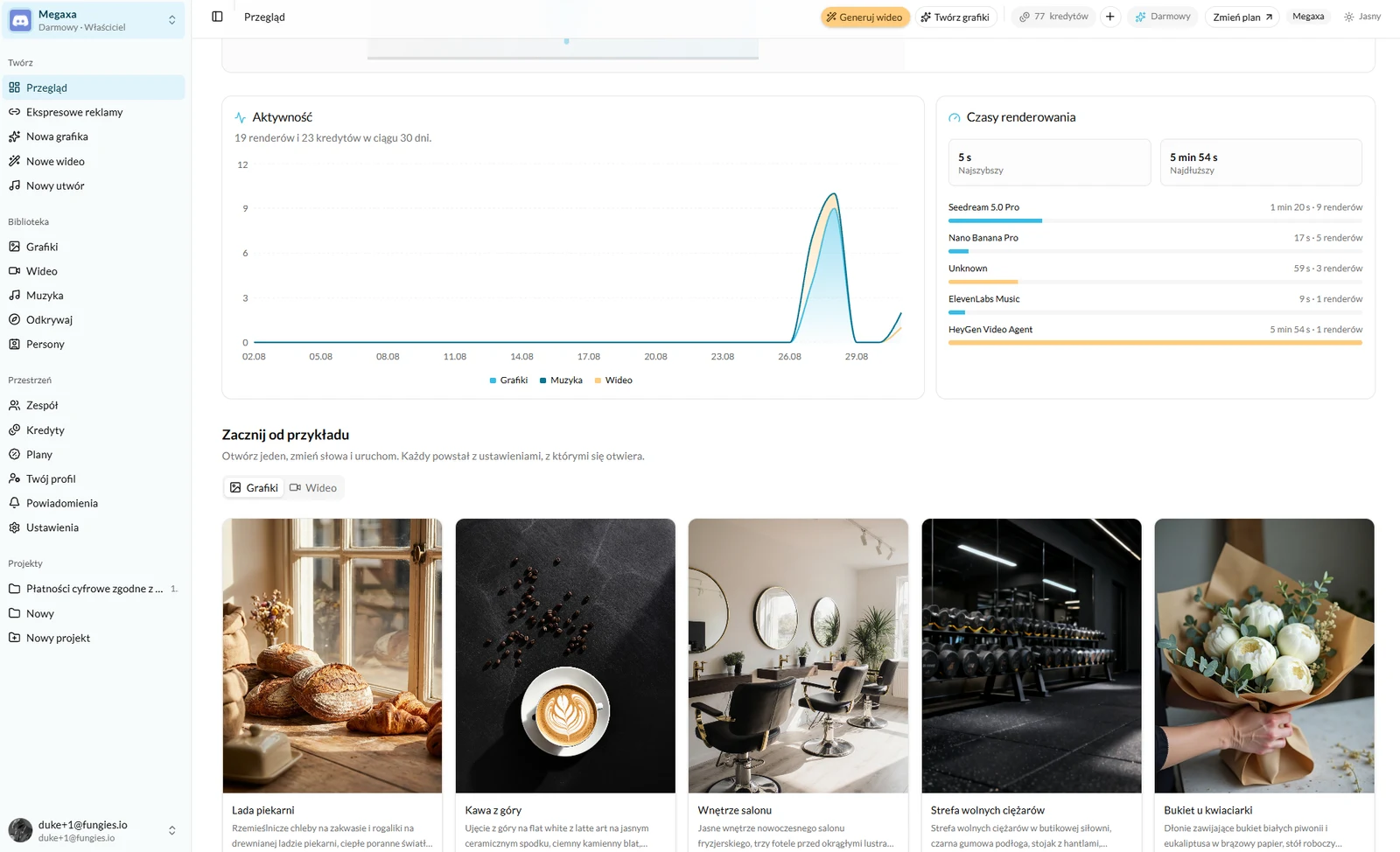
The left column splits the app into three parts, and this help centre is split the same way. Create is the four screens where something is made. Library is everything already made, plus personas. Workspace is credits, plan, team and settings.
Your first ad in two minutes
The shortest route does not go through writing a brief. At the foot of Overview there is a "Start from an example" section — open one, swap the words for your own product and run it. The settings it opens with are already chosen.
- 1Open any example from "Start from an example".
- 2Replace the description with your own product. One sentence is enough.
- 3Press Generate. The first version usually comes back inside a minute.
If you already have a product page, there is a shorter route still: Instant ads read the link and hand back a full set of creatives in the sizes ad managers require.
Where the finished files go
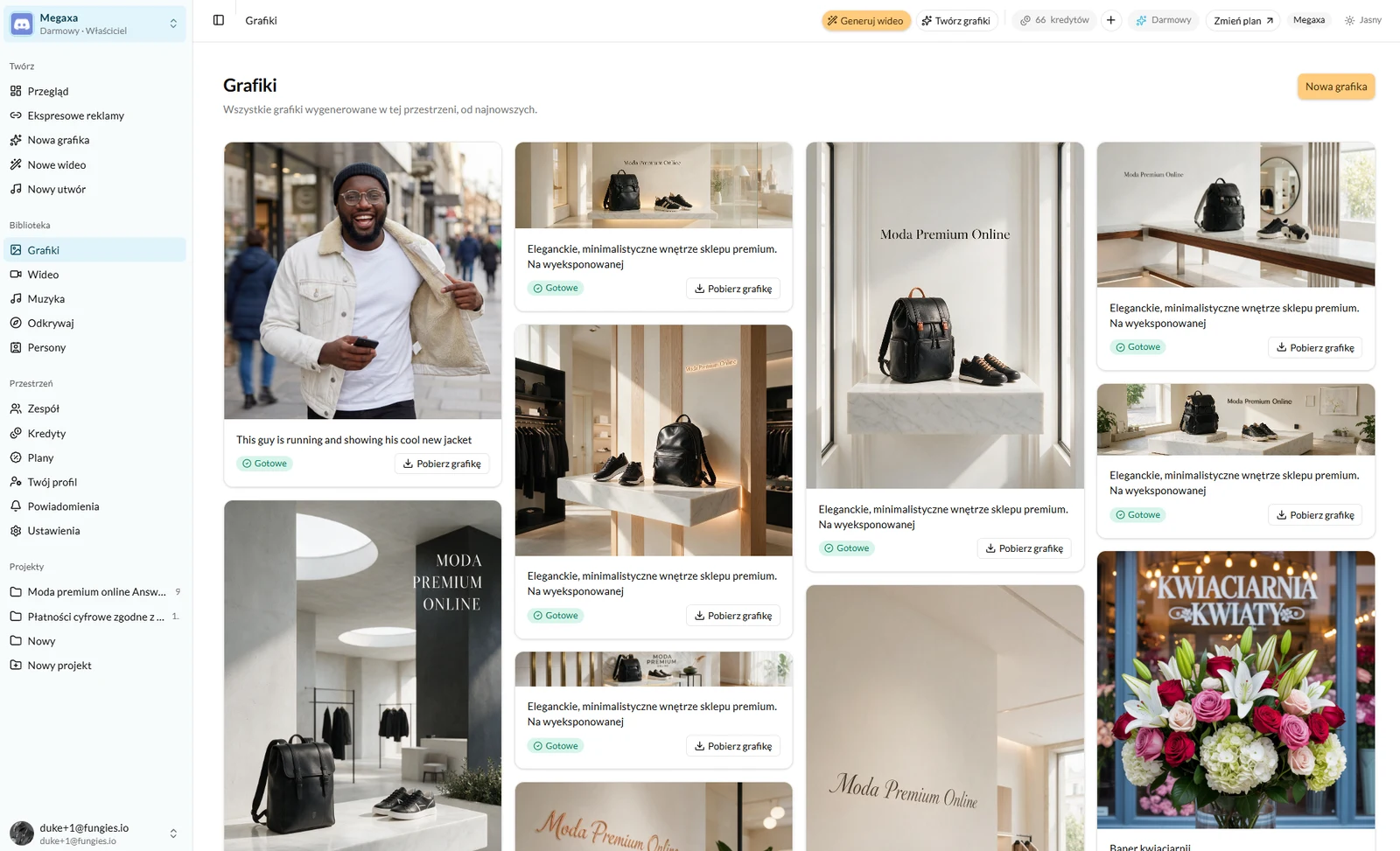
Everything you render lands in the Library — graphics, video and music kept separately. Nothing disappears when you close the tab and nothing has to be downloaded straight away. Each render carries a download button and the brief it came from.
Read next
- Instant ads — a whole set from one linkPaste a product link, pick the platforms, and get a full set of creatives in the required sizes.
- The credit system — what you actually pay forOne balance for graphics, video and music. What each render costs and when a credit comes back.
- How to generate an ad graphicThree modes, one brief and a choice of engine — what to write to get a frame you can advertise with.
Not covered here?
Write to contact@reklamuj.ai and say what you are trying to do. A person answers, not a bot.
Try it on your own product
Sign up without a card and get 40 credits. Enough for a full set of graphics, video and music for your first few products.