
How to generate an ad video
Brief, engine, length and sound — with examples of spots generated entirely by a model.
Four decisions before you render
The New video screen looks like the graphics screen with two extra fields: length and sound. The rest is the same — the brief, the engine, the format and the project the finished file lands in.
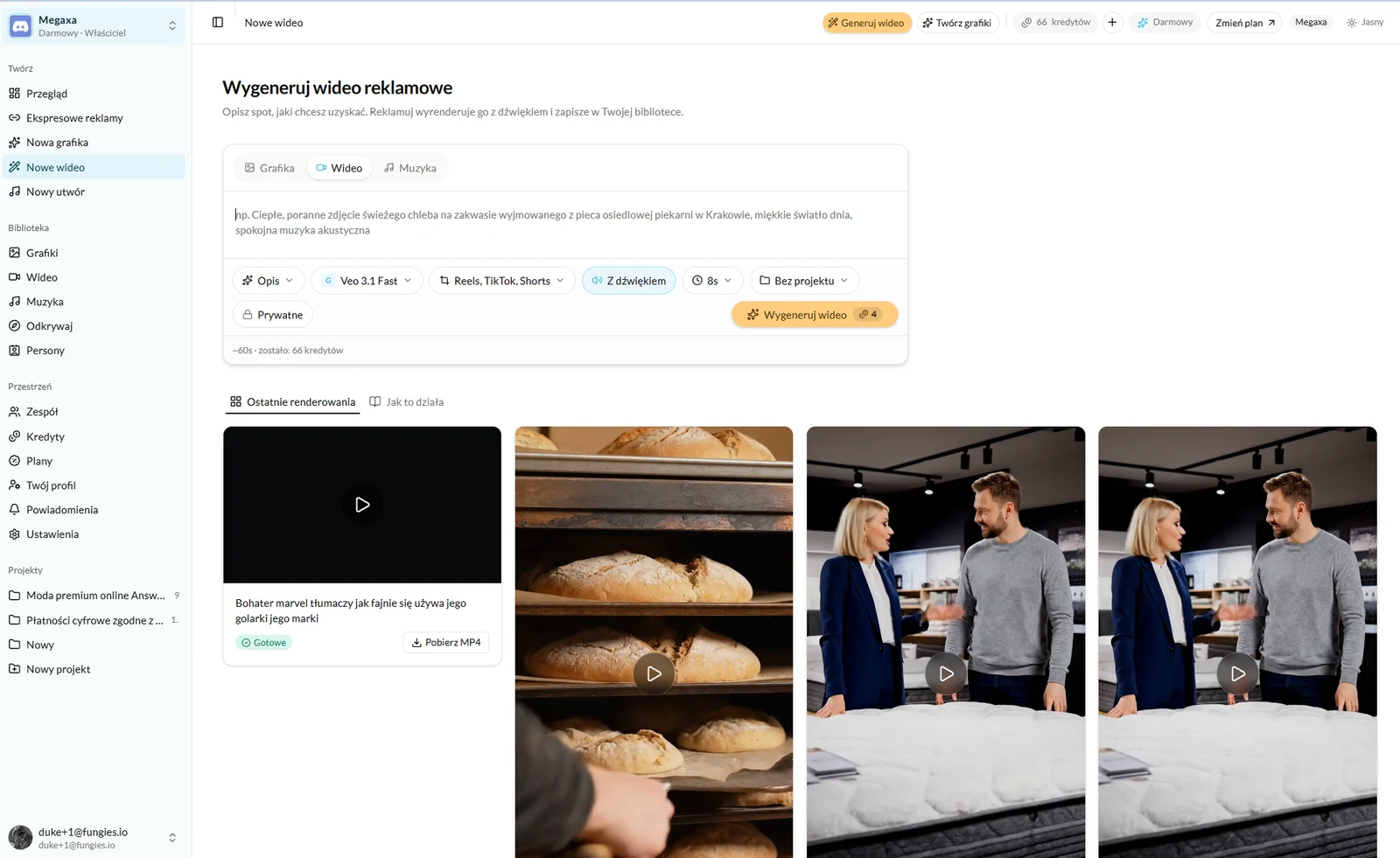
- 1Describe the spot in one or two sentences: what is in frame, how it moves, what the light is.
- 2Pick the engine. They differ in price per second, maximum length, and whether they build sound themselves.
- 3Pick the format — vertical for Reels, TikTok and Shorts, or horizontal for banners and YouTube.
- 4Pick the length. This is what sets the cost, so four seconds instead of eight is half the price.
Sound
The "With sound" switch only does anything on engines that build a track alongside the picture. On the others the video comes back silent, and you make the track separately in the music studio and put the two together in an edit.
What it looks like in practice
Two spots below, generated end to end by a model — the picture, the camera move and the sound. Neither contains footage from a shoot or anything from a stock library.
What it costs
Video is the only thing billed by the second, and the rate depends on the engine. The cost sits on the button before you press it and moves with the length — which is why it pays to choose the length last, once the brief is settled.
Video takes longer to render than a graphic: from under a minute to several, depending on the engine and the length. You do not have to wait on the screen — the finished file goes to the library, and Overview shows how many renders are in the queue.
Read next
- How to generate music for an adYour own track under a spot, with no licence to buy — sung or instrumental.
- How to generate an ad graphicThree modes, one brief and a choice of engine — what to write to get a frame you can advertise with.
- The credit system — what you actually pay forOne balance for graphics, video and music. What each render costs and when a credit comes back.
Not covered here?
Write to contact@reklamuj.ai and say what you are trying to do. A person answers, not a bot.
Try it on your own product
Sign up without a card and get 40 credits. Enough for a full set of graphics, video and music for your first few products.