
Instant ads — a whole set from one link
Paste a product link, pick the platforms, and get a full set of creatives in the required sizes.
What it is for
Instant ads skip the brief. You paste the address of a product page — your own, a marketplace listing or a landing page — and the app reads the name, the description and the price off it, then writes a brief for each platform you chose.
The point is the sizes. Facebook’s ad manager will not take the same file as Google Ads, and a 1:1 frame cropped to 9:16 loses half the product. Instant ads compose each size separately rather than cropping one.
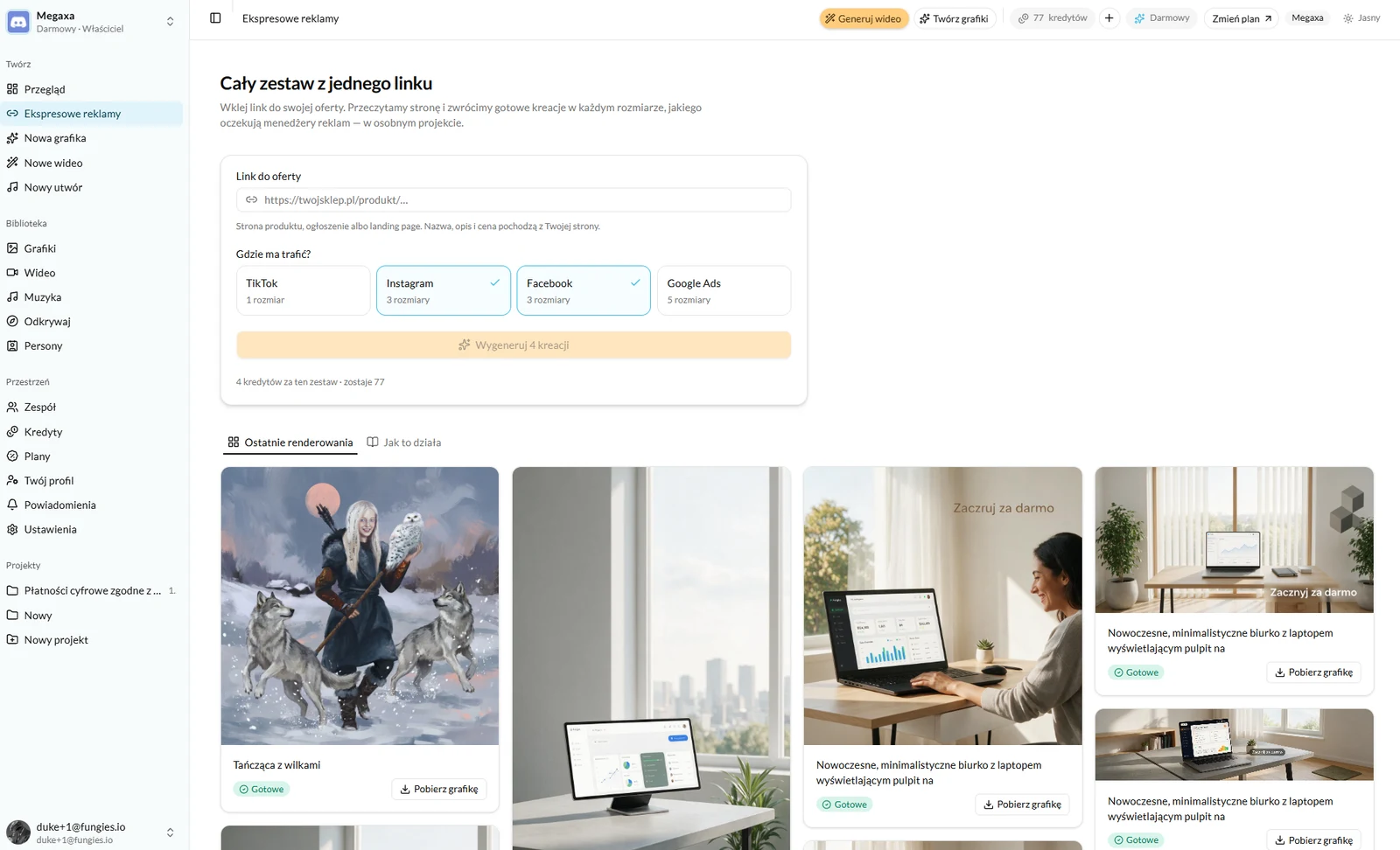
How to run it
- 1Paste the product link into the link field.
- 2Tick the platforms. Each one shows how many sizes it covers — TikTok one, Instagram and Facebook three each, Google Ads five.
- 3Check the cost. The button shows the credits for the whole set and the balance left afterwards.
- 4Press Generate. The set lands in a project of its own, so it does not mix into the rest of the library.
What you get back
The set comes back as finished files under "Recent renders" and, at the same time, in a project named after the page it came from. You download each creative separately, and the text beside it is the brief the model used — copy it into New graphic to refine a single frame.
- A 1:1 feed frame for Instagram and Facebook.
- A 9:16 vertical for Reels, Stories and TikTok.
- A 16:9 horizontal for banners and YouTube.
- Google Ads formats, including the narrow leaderboards no other platform uses.
When to use New graphic instead
Instant ads are good for a first set and for a catalogue with more products than hours. But the brief is written from what was found on the page, so it knows nothing about your campaign, the season, or the fact that this particular model sells better shot in a room.
When the frame has to be specific — a chosen model, your own persona, text on a banner, a shoot in a particular interior — open New graphic and write the brief yourself. Same engines, same balance, your decisions.
Read next
- Getting started with ReklamujFrom signing up to your first finished graphic — no card and nothing to configure.
- How to generate an ad graphicThree modes, one brief and a choice of engine — what to write to get a frame you can advertise with.
- The credit system — what you actually pay forOne balance for graphics, video and music. What each render costs and when a credit comes back.
Not covered here?
Write to contact@reklamuj.ai and say what you are trying to do. A person answers, not a bot.
Try it on your own product
Sign up without a card and get 40 credits. Enough for a full set of graphics, video and music for your first few products.