
How to turn a product photo into a 3D model
One photograph of an object, returned as a .glb a shopper can turn with a finger on the listing.
Why a 3D model on a listing
A photograph shows an object from one side and asks the shopper to take the rest on trust. A 3D model removes the question: they turn the product with a finger and check the back, the base and the thickness themselves.
The model comes back as a .glb — one file with the mesh and the textures inside it. Blender opens it, the 3D plugins for Shopify and WooCommerce read it, and so do the AR viewers built into phones, so there is nothing to convert.
The New 3D model screen
There are two ways in. "From a photo" reconstructs a specific object you have in stock. "From a brief" builds something no photograph exists of yet — a mock-up, a prototype, a prop for a visual.
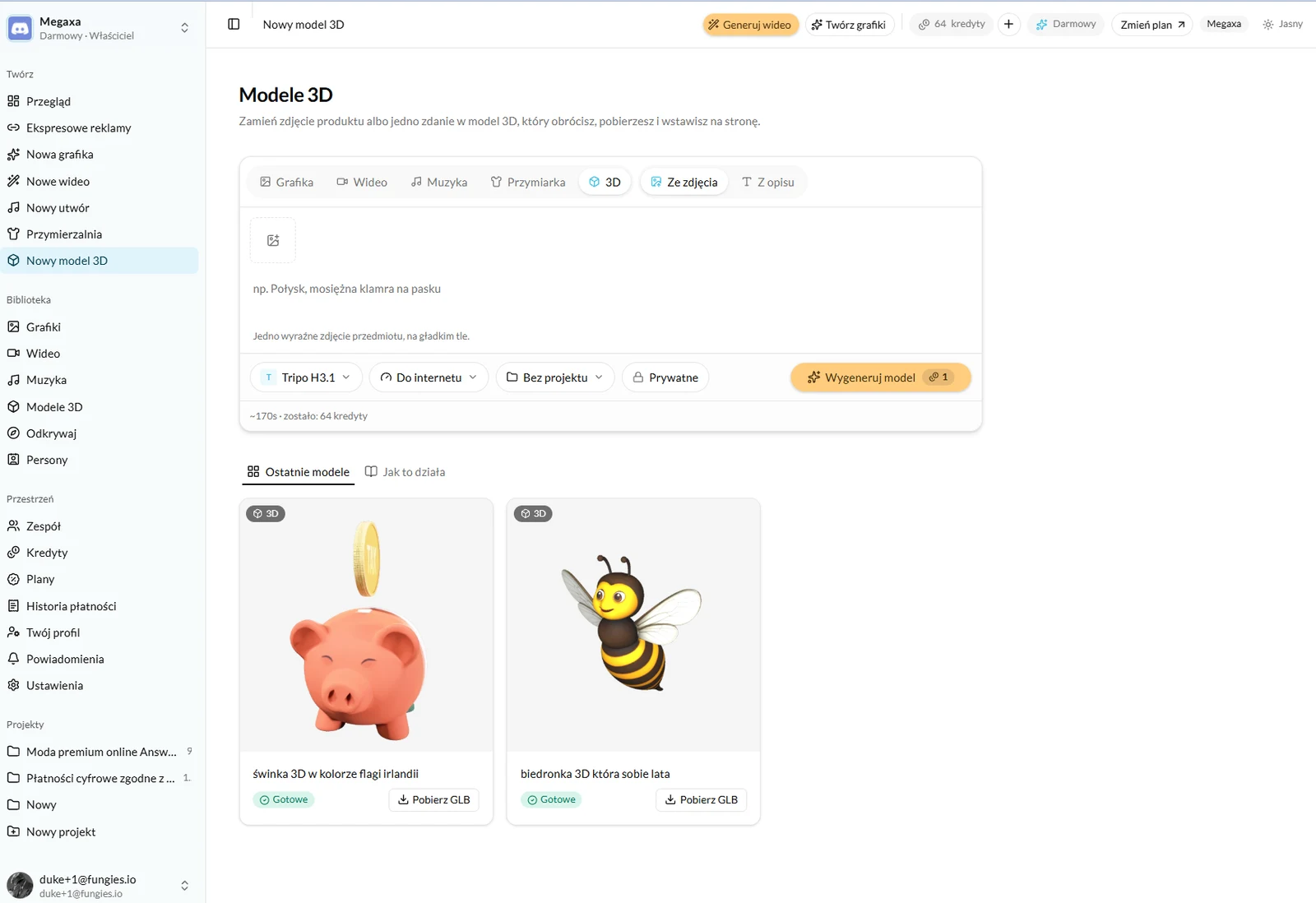
- 1Open New 3D model, or switch to 3D on the graphics or video screen.
- 2Upload one clear photograph of the object against a plain background — or switch to "From a brief" and describe it in a sentence.
- 3Use the second field for a detail the photo cannot show: "brass buckle", "matte finish".
- 4Pick the engine. Tripo H3.1 is the default and returns the lightest file, but it is not the best one for every shape — see the comparison below.
- 5Pick the detail level and press Generate model. The button shows the estimated wait and what it will cost.
You do not have to wait on the screen. A model takes anywhere from twenty seconds to about three minutes and lands in the 3D models tab of the library.
What to feed it
Nine times out of ten the quality of the model is the quality of the photograph. The engine sees one side of the object and invents the rest, so everything it cannot see is a guess.
- One object in frame. Two products side by side come back fused into a single lump.
- A plain, even background. A patterned surface bleeds into the outline of the object.
- Flat, diffused light. A hard shadow gets baked into the texture and stays there — turn the model and the shadow turns with it.
- The whole object in frame, not cropped. A cropped base comes back as an invented base.
- If the product has a handle, a strap or a hole, shoot it so the gap is visible. A gap the photograph does not show usually disappears in the model.
One engine works around this differently: Rodin Gen-2.5 reads up to four photographs of the same object. If you have it shot front, back and both sides, that is the engine guessing least.
Which engine for which job
There are five engines and they differ more than the image engines do. Below is a separate controlled test: one photograph of a white mug, five engines, the "For the web" setting and materials off. The individual engine pages show different objects, because there each engine is showing what it can do — here they all got the same photograph so they can be set side by side. The sizes in this table are therefore lower than the ones quoted on the engine pages, where materials are on.
| Engine | File size | The mug handle | What it is for |
|---|---|---|---|
| Tripo H3.1 | 1.5 MB | fused into the side | The default. Lightest file, and it works from a brief too. |
| Meshy 7 | 1.9 MB | kept, with a clean gap | Even topology — the best one if the mesh is going into Blender. |
| Trellis | 1.6 MB | kept | About twenty seconds. Photo only. |
| Hunyuan 3D 3.1 Pro | 10.4 MB | kept, cleanest form | The best geometry, in a file seven times heavier. |
| Rodin Gen-2.5 | 1.6 MB | never appeared | Reads up to four photos. Costs 2 credits. |
Detail: for the web, or high
"For the web" is a couple of megabytes: a file that opens on a phone and belongs on a product page. "High detail" is every polygon and the full set of materials — for a render, for 3D printing, for work in a modelling program.
On a product page, stay on "For the web". A ten-megabyte model will hold up a page on a phone more effectively than all of its photographs put together.
What you end up with
A finished model opens in a viewer where you drag to turn it and scroll to zoom — exactly what the shopper will do later. Beside it is a Download GLB button and the visibility switch, if the model should stay private.
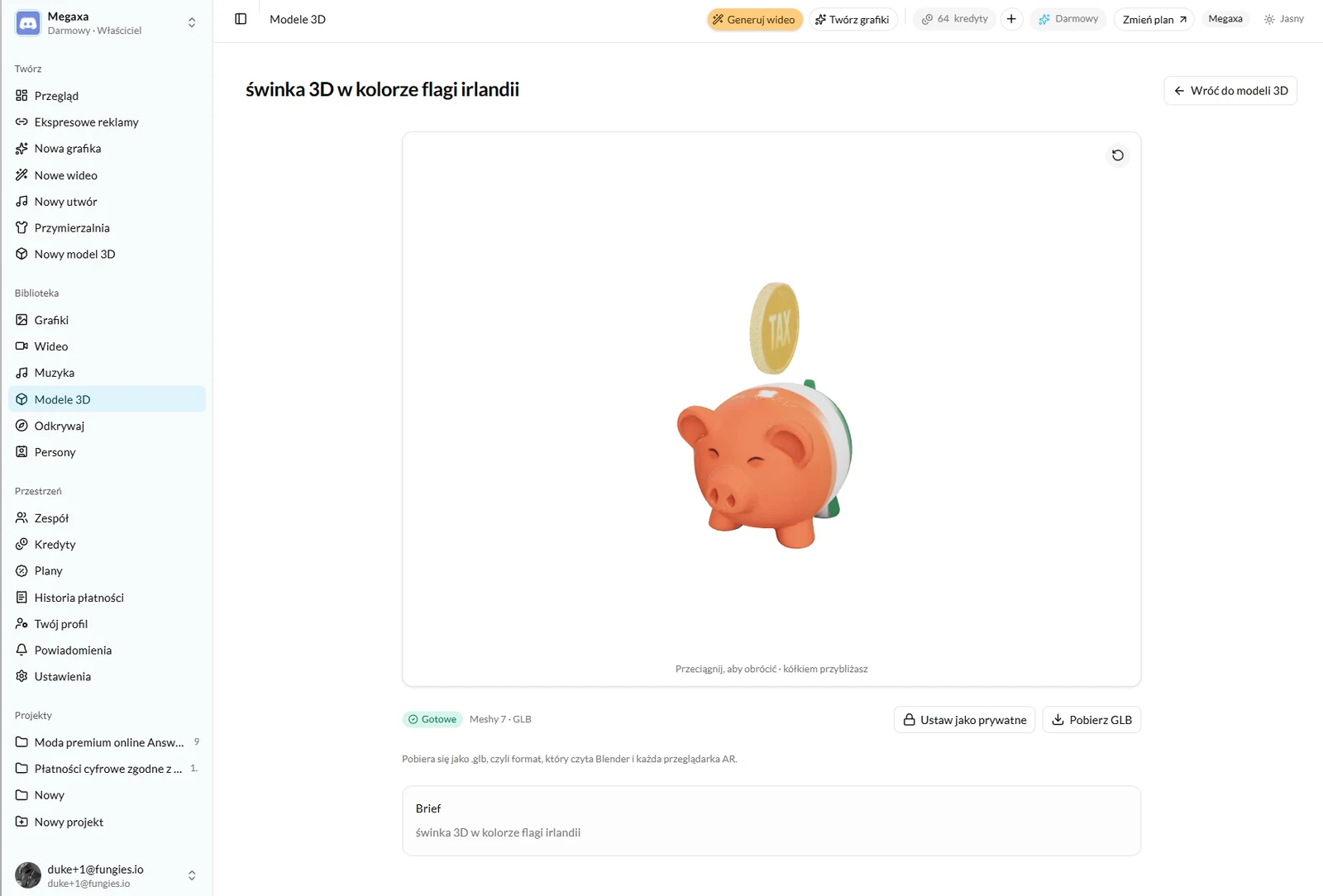
Models sit in the library alongside graphics, video and music, and attach to projects the same way. Download the file as often as you like — the credit pays for the render, not for the download.
What it costs
A 3D model costs one credit — the same as a graphic — on four of the five engines. Rodin Gen-2.5 costs two, because that is what its render costs us. The cost is on the button before you press it.
The detail level does not change the price. High detail takes longer and returns a heavier file, but the credit is the same, so trying it costs nothing but time.
Read next
- How to generate an ad graphicThree modes, one brief and a choice of engine — what to write to get a frame you can advertise with.
- The credit system — what you actually pay forOne balance for graphics, video and music. What each render costs and when a credit comes back.
- The library, projects and your teamWhere finished files live, why to split them into projects, and how to let a second person into the workspace.
Not covered here?
Write to contact@reklamuj.ai and say what you are trying to do. A person answers, not a bot.
Try it on your own product
Sign up without a card and get 40 credits. Enough for a full set of graphics, video and music for your first few products.