
The credit system — what you actually pay for
One balance for graphics, video and music. What each render costs and when a credit comes back.
One balance for everything
A credit is the single unit of billing across the app. There is no separate pool for images and another for video, and no monthly render cap sitting alongside the credit count. You spend from the same balance on whatever you need that day.
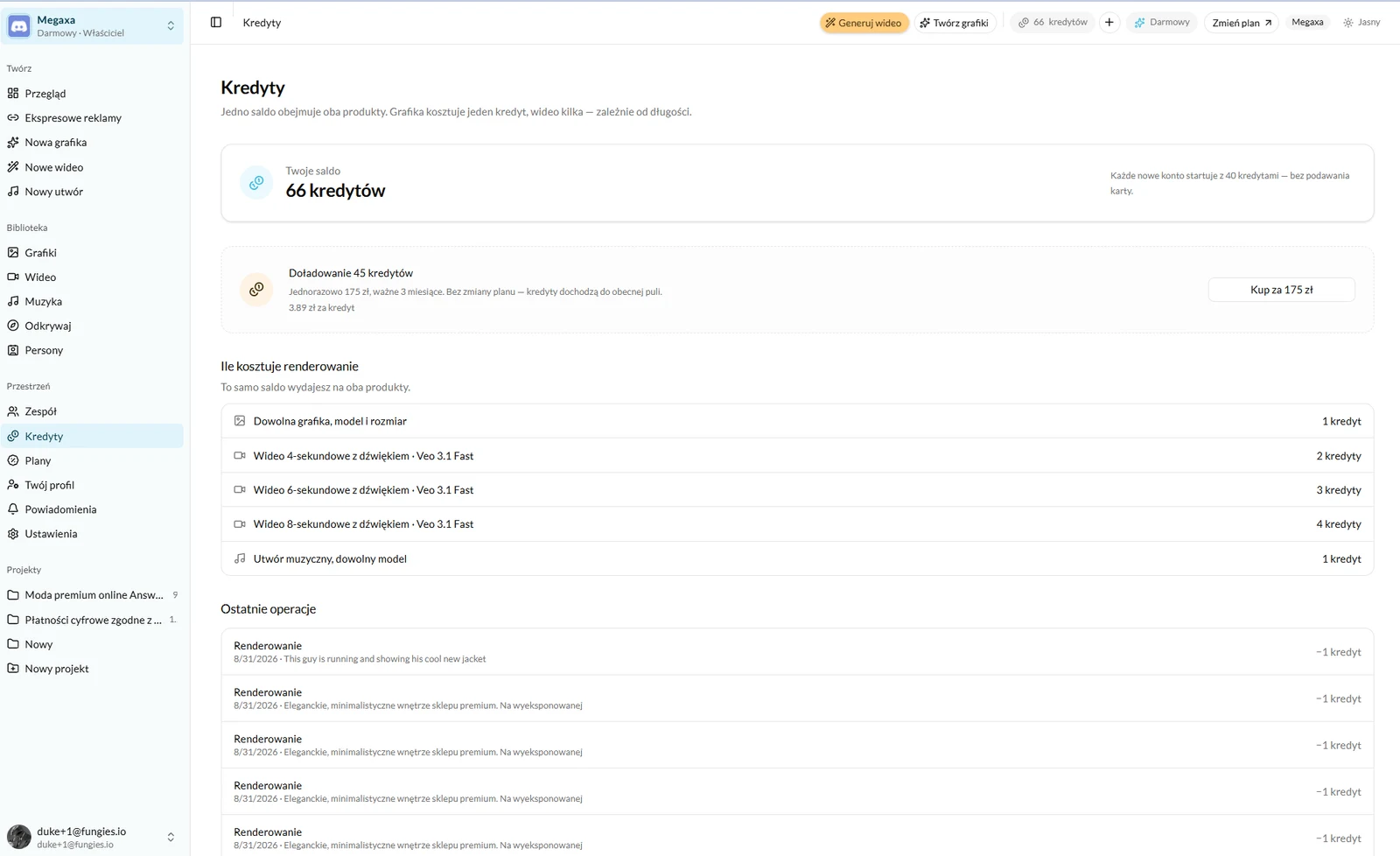
What one render costs
| What you render | Cost |
|---|---|
| Any graphic, any model, any size | 1 credit |
| A music track, any model | 1 credit |
| Video | per second, depending on the engine |
A graphic costs the same on every model, so switching engines costs nothing but time — you can send one brief through several and keep the best frame. Music is charged per track too, except on one engine billed per started minute.
Video is the only thing whose price depends on length and on the engine. The per-second rate is stated on each model’s page, and in the app the cost sits on the button before you press it, together with the length you chose.
Top-ups, rollover and refunds
- A top-up is a one-off purchase with no change of plan — the credits join your current balance and are valid for three months.
- Unused plan credits roll over to the next month, up to one package.
- A failed render returns its credit automatically. There is nothing to report.
- A render that succeeded but that you dislike is paid for — the model did the work. Which is why an unfamiliar brief is worth starting at one version rather than four.
Where to see what the credits went on
At the foot of the Credits screen is a "Recent activity" list: the date, a fragment of the brief and the credits against each entry. It is the fastest way to find the render that cost more than expected — usually a video a few seconds longer than it needed to be.
Read next
- Plans and limits — what a subscription changesHow many credits each plan carries, what else comes with the higher ones, and how to leave without notice.
- How to generate an ad videoBrief, engine, length and sound — with examples of spots generated entirely by a model.
- How to generate music for an adYour own track under a spot, with no licence to buy — sung or instrumental.
Not covered here?
Write to contact@reklamuj.ai and say what you are trying to do. A person answers, not a bot.
Try it on your own product
Sign up without a card and get 40 credits. Enough for a full set of graphics, video and music for your first few products.