
Tripo H3.1 when the model has to open on a phone
A 3D model on a product page is not defeated by missing detail, it is defeated by weight — and weight in these engines is almost entirely texture. This one returned three material maps, colour, metallic-roughness and a normal map, in files totalling 288 kilobytes. The heaviest of the five returned that same set in twenty-nine megabytes. Which is why this is the one the studio opens on.
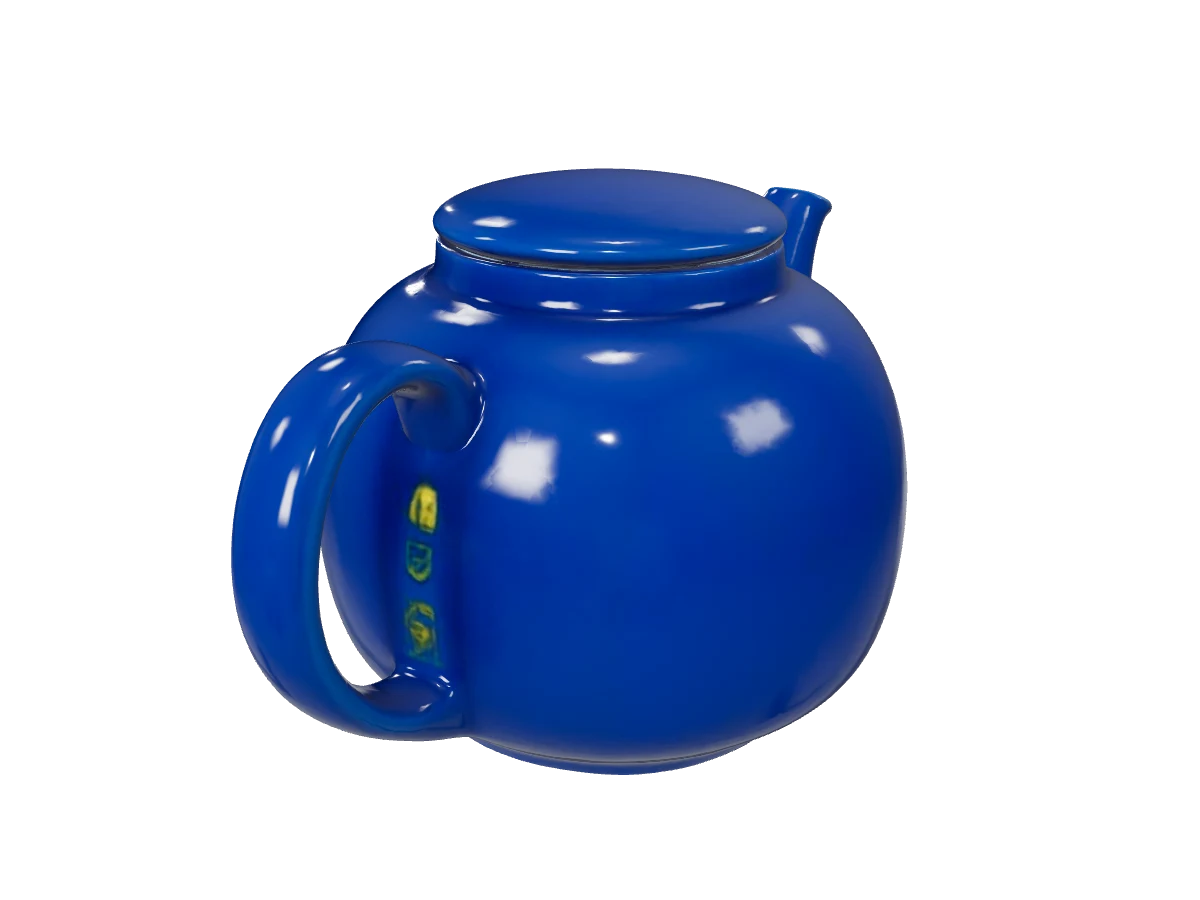
Rendered by this model
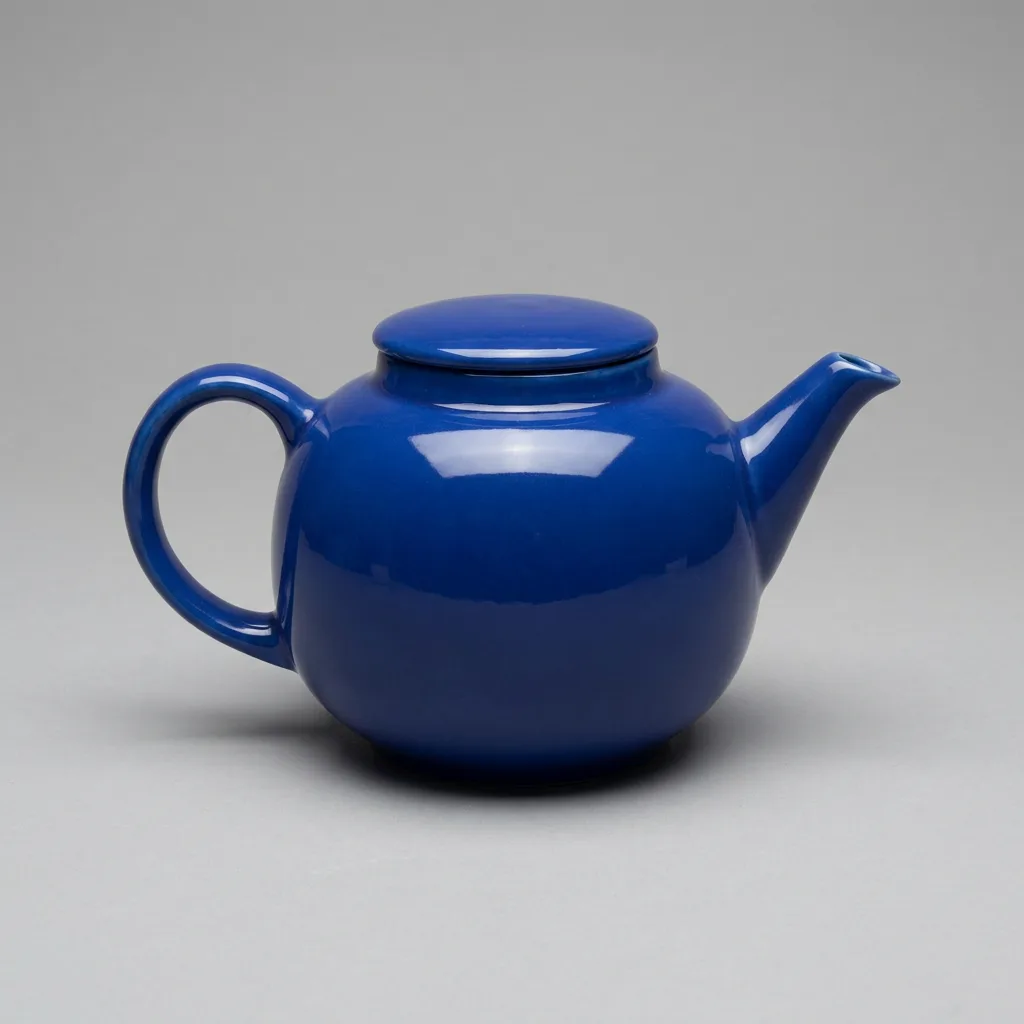
The mesh was reconstructed from this photograph:
The sample is rendered with PBR materials on. Textures in the file served here are downsampled to 1024px so it opens on a phone; the geometry and the set of maps are as the engine returned them.
Specification
- Built by
- Tripo
- Starts from
- your own photo · a written brief
- File format
- GLB
- Textures
- PBR — separate metallic, roughness and normal maps
- Face budget
- 50,000 at the web setting
- Reference photos
- 1
- Render time
- about 170s
- Cost
- 1 credit per model
What it is good for
- 2048px textures, not 4096px
- Three material maps totalling 288 kB here. The same set is 29 MB from Tencent and 4.4 MB from Meshy — and it is textures, not geometry, that decide what a 3D file weighs. On a product page that gap is the difference between a model that loads and one that finishes loading after the shopper has gone.
- It held two holes at once
- A teapot has a handle and a spout: two thin forms standing off the body, each with a gap the engine has to keep open. Both survived, at 47 thousand triangles. A gap is the first thing a shopper notices in a 3D model, and the first thing these engines lose.
- A photo, or a sentence
- It has both ways in: reconstruct an object from a photograph, or build one from a brief. Useful when the product is not in stock yet and what you need is a mock-up for a visual rather than a model of a specific unit.
When to pick something else
It invents detail where the photograph showed none. On our teapot the body behind the handle was hidden from the camera, and the engine filled that patch with three yellow marks that are not on the product — they read like a printed logo or a sticker. On a plain wall you will never see this, but there is a hidden surface behind every handle, every strap and every fold of packaging. The practical answer is about the photograph, not the engine: show the side you care about. If the product has to be right from every angle, use Rodin Gen-2.5, which takes several photographs of the same object and has less to guess at.
See every modelHow to brief this model
The things this engine handles differently from the rest. The habits that hold for every model are collected separately, in the help centre.
- Place the product so any gap — a handle, a strap, a spout — is visible in the photograph. Our teapot kept both of its holes precisely because both could be seen.
- Do not expect higher detail to recover a shape the engine got wrong. We checked on another object: the file swelled to fifty-four megabytes and the missing handle still was not there.
- Remember that surfaces hidden in the photograph get invented — on ours that produced three yellow marks on the body. If every side matters, use Rodin and several photographs.
- Stay on the "For the web" setting. About one and a half megabytes is a file a product card can carry, whereas higher detail produces files that cannot be published.
- Upload a photograph rather than describing the product in words. This engine takes either, but from a photograph you get your own item rather than something from your category.
Questions about this model
Try this model on your own product
Sign up without a card and get 40 credits. Switching model is one click, so you can send the same brief through several of them and keep the best frame.