
Ideogram V3 sets type like a designer
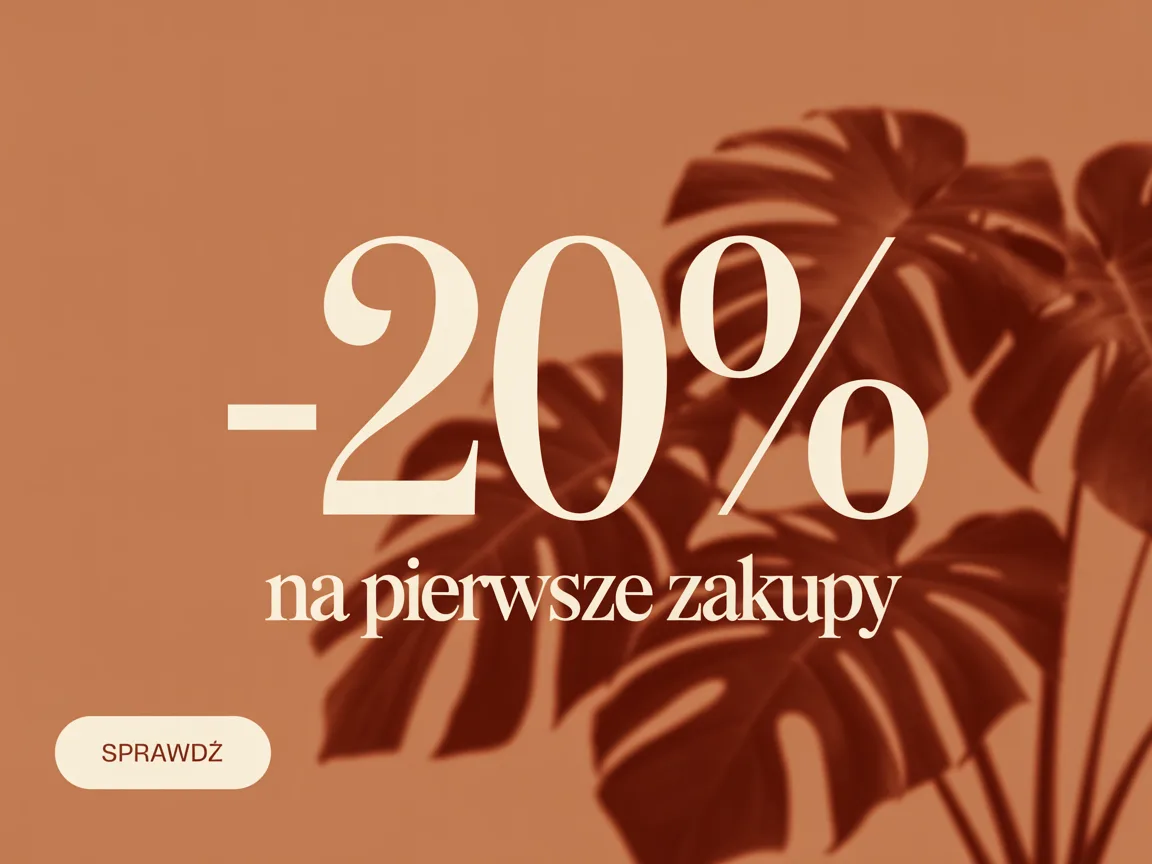
The difference between a model that "can write a word" and one that sets type shows in the first frame: sizes have a hierarchy, spacing is even, the headline has a margin, and a button looks like a button. This is our default model for ad creative.
Rendered by this model
Specification
- Built by
- Ideogram
- Starts from
- a written brief · reference photos
- Size
- 512 – 2048 px
- Reference photos
- 3
- Render time
- about 25s
- Cost
- 1 credit per image
What it is good for
- Hierarchy, not a pile of words
- Three levels of text on one graphic — headline, subhead, button — at sizes and spacings that look designed. No other model on the roster does that as reliably.
- Polish characters, no surprises
- Diacritics where they belong, in caps too. With a Polish headline that is the condition for not having to fix every graphic by hand.
- References read as style
- Unusually, uploaded images tell this model how the graphic should look, not what should be in it. Upload your previous creative and get the next one in the same style.
When to pick something else
It is noticeably keen to print lettering where you did not ask for it — put a jar or a bottle in front of it and it will invent letters on the label even when the brief plainly says to leave it blank. That is why the sample on this page is pure typography: two earlier attempts with a product in frame ended in an invented brand name on the lid. For a graphic with a real product use Nano Banana Pro or Nano Banana 2, and keep this model where the text is the subject.
See every modelHow to brief this model
The things this engine handles differently from the rest. The habits that hold for every model are collected separately, in the help centre.
- Keep labelled products out of the frame. Two of our attempts with a jar ended with an invented brand name on the lid, even though the brief said to leave the label blank.
- List every line of text and add that those are the only words in the image. Without that sentence the model adds its own — a caption under the headline, small print in a corner.
- Name the roles, not just the words: headline, subhead, button. This engine will build the size hierarchy itself, but it has to know which is which.
- Upload the previous creative as a reference if the new one has to match its style. Here a reference means "make it look like this" rather than "put this in the frame" — the opposite of most models.
- For a graphic with a real product, switch to Nano Banana Pro or Nano Banana 2 and keep this model for the work where the type is the subject.
Questions about this model
Other models
- Nano Banana ProOne model for photos and for graphics. The most versatile on the roster.
- Seedream 5.0 ProExact pixel sizes and the widest frames. For formats the rest cannot hold.
- FLUX1.1 Pro UltraMaterial texture and believable light. For photos that should look like photos.
- FLUX.1 KreaA photo that does not look generated. Less gloss, more truth.
- Seedream 4Up to 4096 px on a clean background. The default for a listing's first photo.
- FLUX.1 DevFifteen seconds a frame. A solid middle between speed and quality.
- FLUX.1 SchnellSix seconds a frame. For checking an idea, not for finishing one.
- Krea 2 TurboEight seconds and a frame with a clear character. For mood shots.
- Qwen Image 3Correct Polish text and a clean layout. For graphics with a headline.
- Ideogram V4Ideogram's typography at up to 3840 px. For large creative.
- Nano Banana 28:1 and 1:8 frames the rest cannot do. For banners at extreme ratios.
- FLUX.2 ProDeep colour and glass with reflections. For creative from the top shelf.
- GPT Image 2Does exactly what you wrote. For graphics with callouts and leader lines.
- Z-Image TurboTen seconds to a clean composition. You add the text yourself, in the editor.
- Bria Product ShotYour photo, a new scene. The product stays exactly the same.
Try this model on your own product
Sign up without a card and get 40 credits. Switching model is one click, so you can send the same brief through several of them and keep the best frame.